
Student Manual
Section outline
This book contains instructions of how to use various tools to submit assignments in Moodle.
Viewing Your Grades
To view your grades:
- Log into Moodle and enter your course.
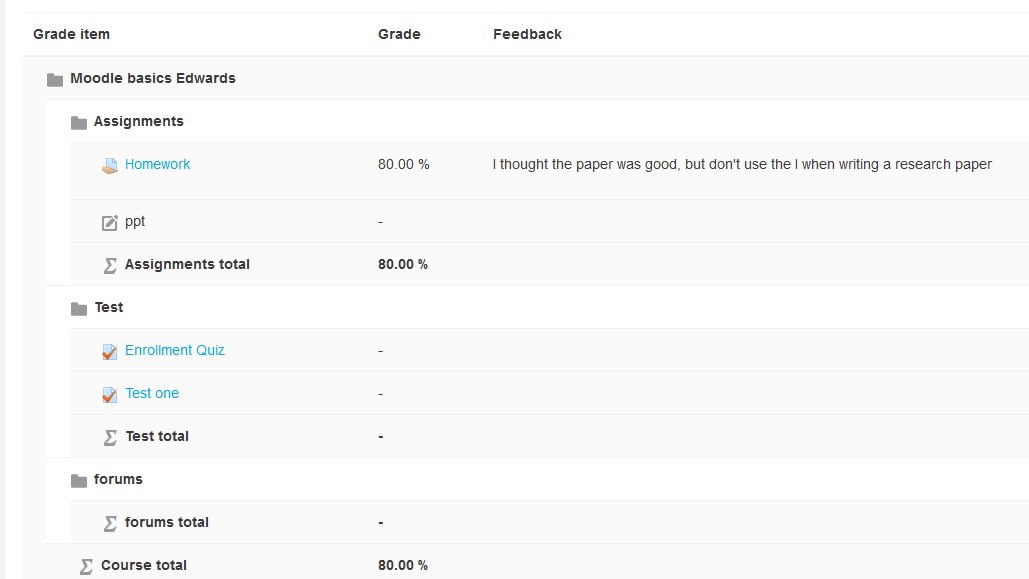
- Click on the Grades Tab on your course menu

- Your grades will be displayed and the course total will be at the bottom. If you have any questions or feel that the grades are incorrect it is your responsibility to communicate with your instructor immediately.
背景色
フォント
フォントカーニング
文字の大きさ
画像の可視性
文字間隔
行の高さ
リンクの強調
文字の色