
Student Manual
Section outline
This book contains instructions of how to use various tools to submit assignments in Moodle.
Viewing Messages in Moodle
The instructor or some of your classmates might send you a message through Moodle. A red rectangle box beside you name at the top of the page indicates that you have a message in Moodle.
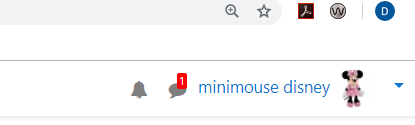
To read your messages, click on the message box then choose Private. A list of your messages will be visible.
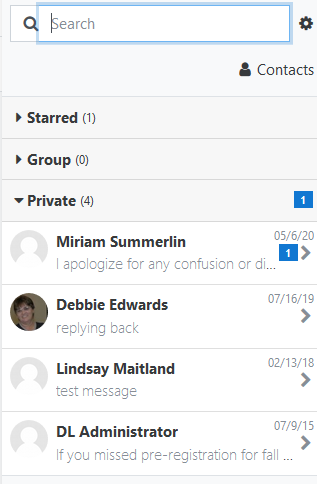
To delete a message click on the message, then the person's name and you will see a "trashcan" icon in the lower right corner of the page.
Background Colour
Font Face
Font Kerning
Font Size
Image Visibility
Letter Spacing
Line Height
Link Highlight
Text Colour