Student Manual
Preferences and changing your Password
Preferences allow you to edit common settings in items such as forum preferences, email preferences, message preferences, changing your password, etc. This is located in the drop-down menu beside your name at the top right.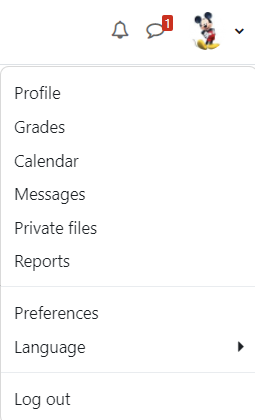
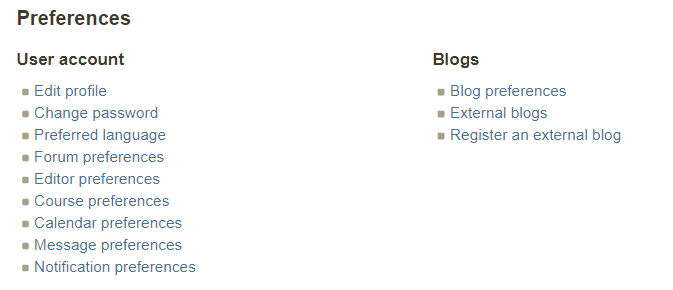
To change your password click on the "Change password" option under "User account"
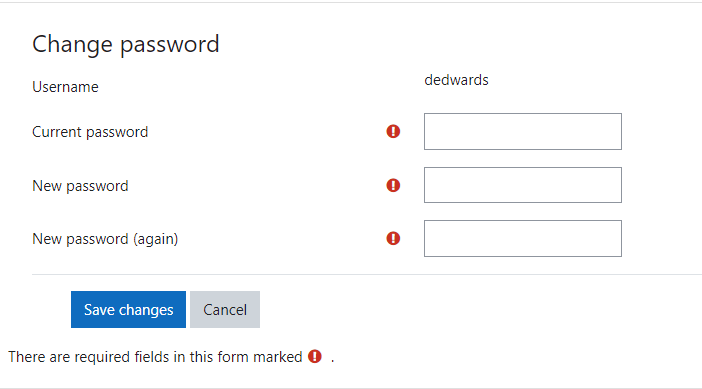
Put in your current password in "Current Password" dialog box
Enter your new password in the "New password" and "New password (again) dialog box.
Background Colour
Font Face
Font Kerning
Font Size
Image Visibility
Letter Spacing
Line Height
Link Highlight
Text Colour